
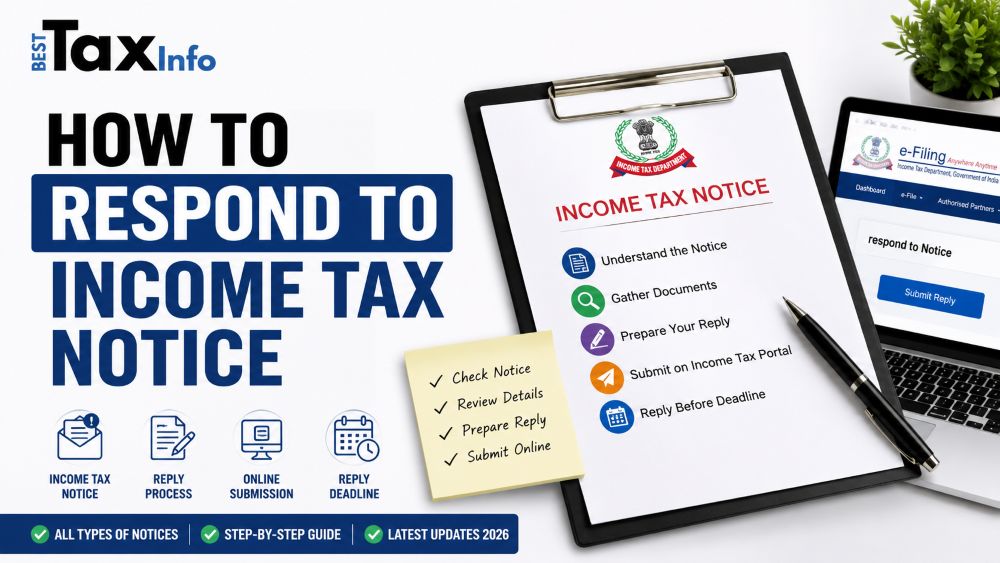
Receiving an income tax notice from the Income Tax Department of India is more common than most people think — and it is almost never cause for panic. In the assessment year 2026-27, the department issued millions of notices, many of them fully automated, triggered by a simple mismatch in numbers rather than any deliberate wrongdoing on the taxpayer’s part.
What actually matters is not whether you received a notice, but how quickly and correctly you respond to it. Ignoring a notice — or responding to the wrong section — can turn a small paperwork issue into a much larger one, attracting penalties and interest that far outweigh the original problem.
This guide covers every aspect of how to respond to income tax notice in India: what triggered it, what type it is, what the deadline is, and exactly how to submit your reply through the official portal — all without repeating explanations.
Table of Contents
What Is an Income Tax Notice?
An income tax notice is an official communication issued under a specific section of the Income Tax Act, 1961 (now transitioning to the Income Tax Act, 2025, effective April 1, 2026). The department uses these notices to seek clarification, request documents, flag errors in your filed return, or initiate a formal assessment.
Crucially, a notice does not automatically mean you owe money or are under suspicion. The most frequently issued notices are purely informational — the department’s automated systems flagged something that needs a simple explanation or correction from your side.
The shift toward faceless assessment under Section 144B has made the entire process digital. All notices are now issued electronically through the income tax e-filing portal, and all replies must be submitted through the e-proceedings module at incometax.gov.in. Physical visits to tax offices are no longer required for most cases.
Why Did You Get an Income Tax Notice?
Before you can respond effectively, you need to understand the trigger. Here are the most common reasons for income tax notice in 2026:
AIS / TIS Mismatch
The AIS mismatch Income tax notice is now the single biggest trigger. The department collects data from banks, mutual funds, property registrars, and dozens of other sources. If your ITR does not match this data — even by a small amount — the system automatically generates a notice. Always cross-check your AIS and TIS (Taxpayer Information Summary) before filing.
TDS Mismatch
An income tax notice for TDS mismatch arises when the TDS reflected in your Form 26AS does not match what you declared in your ITR. This often happens when an employer or bank credits TDS under a slightly different PAN or financial year.
High-Value Transactions Not Reported
Banks, mutual funds, and property registrars report high-value transactions to the department under the Statement of Financial Transactions (SFT). If you deposited a large sum in cash, purchased property, or made significant investments that don’t appear in your ITR, expect a notice.
Non-Filing or Late Filing of ITR
If you have taxable income but did not file your ITR — or filed it significantly late — the department will send an income tax notice for non-filing of ITR under Section 139(9) or Section 142(1) Notice. Even if your income is below the taxable threshold but you have high-value transactions, filing proactively is strongly advisable.
Large or Unusual Deductions
Claiming unusually high deductions under Sections 80C, 80D, or 80G, or an HRA claim that seems disproportionate to your salary, can flag your return for scrutiny. The department’s AI-driven systems compare your claims against similar taxpayer profiles.
GST vs ITR Mismatch
For business owners, a mismatch between turnover declared in GST returns and income declared in the ITR is a leading trigger. Ensure these figures are reconciled before you file.
Foreign Assets and ESOP/RSU Income
Non-disclosure of foreign bank accounts, foreign investments, ESOPs, or RSU income is treated very seriously — particularly under the Black Money Act. If you have received stock options from a foreign employer or hold overseas assets, these must be declared.
Types of Income Tax Notices — and What Each Means
Understanding the types of income tax notices is essential because each one has a different purpose, a different reply process, and a different consequence if ignored. income tax notice reply deadline for different sections also mentioned below.
| Section | Notice Name | Common Trigger | Reply Deadline |
| 139(9) | Defective Return Notice | Missing or incorrect data in ITR | 15 days |
| 142(1) | Inquiry Before Assessment | AO needs documents; non-filing | 15–30 days |
| 133(6) | Request for Information | Unusual transactions; third-party verification | ~15 days |
| 143(1) | Summary Assessment Intimation | Arithmetic errors, TDS mismatch, unclaimed losses | 30 days |
| 143(2) | Scrutiny Assessment Notice | Large deductions; underreported income | 15 days |
| 148 | Reassessment Notice | Income may have escaped assessment | As specified |
| 156 | Notice of Demand | Tax dues after assessment | 30 days |
| 245 | Refund Adjustment Notice | Pending arrears against a refund | 30 days |
Section 143(1) — The Most Common Notice
The Section 143(1) intimation is an automated communication, not a formal notice. It compares the department’s computation of your tax liability with your own. If the numbers match, it is just a confirmation. If they don’t, it will show a demand or a revised refund amount. You have 30 days to respond or correct the discrepancy online.
Section 143(2) Scrutiny Notice
A Section 143(2) scrutiny notice is more serious. It means a tax officer has selected your return for a detailed examination. This is typically triggered by large deductions, significant income fluctuations, or mismatches that could not be resolved at the 143(1) stage. You must respond within 15 days, usually with supporting documents uploaded through the e-proceedings module.
Section 148 Reassessment of Past Returns
The Section 148 reassessment notice allows the department to reopen completed assessments if it has reason to believe that income has escaped assessment. As per the income tax notice timeline rules, reassessment can generally be initiated up to 3 years from the end of the relevant assessment year, or up to 10 years in cases involving income exceeding Rs. 50 lakh. Always verify the issuance date against the statutory limit — notices issued after the deadline are legally invalid.
Section 139(9) Defective Return Notice
This notice flags specific errors in your filed return: missing schedules, incorrect personal details, or invalid deduction claims. You have 15 days to rectify and refile, failing which the return may be treated as if it was never filed.
Section 245 Refund Adjustment Notice
If the department adjusts an income tax refund against outstanding dues from a previous year, it sends a Section 245 refund adjustment notice. You have 30 days to accept the adjustment or file an objection through the portal.
How to Check income tax notice online
The first step is to check your income tax notice online and confirm it is genuine. Fraudulent notices impersonating the department do exist.
- Go to incometax.gov.in and log in with your PAN and password.
- Navigate to Pending Actions → e-Proceedings to see all active notices.
- To authenticate your income tax notice, use the ‘Authenticate Notice/Order Issued by ITD’ service on the portal.
- Enter the Document Identification Number (DIN) printed on the notice. Every genuine income tax notice carries a unique DIN — if the notice you received does not have one, contact your Assessing Officer to verify.
- Cross-reference the notice section, assessment year, and issued date against your records.
The CBDT mandates that all notices carry a valid DIN. This is your primary tool to confirm the notice is not fraudulent before you take any action.
How to Reply to an Income Tax Notice on the e-Filing Portal — Step by Step
All responses must now go through the income tax e-proceedings portal. Here is the complete process for how to reply to an income tax notice on the e-filing portal:
Step 1: Read the Notice Thoroughly
Before doing anything else, read the notice in full. Identify the section under which it was issued, the specific issue or discrepancy raised, and the exact response deadline. Misunderstanding the issue is the most common reason for inadequate replies.
Step 2: Gather Your Supporting Documents
Collect every document relevant to the issue: Form 16, Form 16A, bank statements, investment proofs, sale deeds, Form 26AS, AIS/TIS printouts, previous ITRs, capital gains computation, and any third-party correspondence. Do not reply without having your evidence in hand.
Step 3: Log In and Navigate to e-Proceedings Income Tax Portal
Log in to incometax.gov.in. From the dashboard, go to Pending Actions → e-Proceedings. You will see all pending notices listed with their section, assessment year, and response due date.
Step 4: Submit Your Response
Click on the relevant notice. You will find options to ‘Agree’ (if the department’s computation is correct), ‘Disagree’ (if you believe there is an error), or ‘Partially Agree’. Prepare a clear, concise written explanation addressing every point in the notice. Attach scanned copies of supporting documents in the prescribed format.
Step 5: Download the Acknowledgement
After submission, download and save the acknowledgement receipt. This is your proof of timely response and may be required if the matter progresses to a later stage.
Step 6: Track Further Communications
After you respond, the matter may be resolved, or the officer may send a follow-up communication. Check the e-Proceedings section and your registered email regularly. Do not assume the matter is closed until you receive a formal closure order.
Important: Faceless Assessment Under faceless assessment (Section 144B), no in-person meetings are required. All communication — notices, responses, hearings, and orders — happens entirely through the e-proceedings module. Keep all your communications on record.
Special Situations: What You Need to Know
Income Tax Notice for Salaried Employees
For most salaried taxpayers, notices arise from a TDS mismatch between Form 26AS and the ITR, or from claiming exemptions that don’t reconcile with AIS data (such as HRA). The fix is usually straightforward: reconcile the figures, attach your Form 16 and rent receipts, and submit a clear explanation through e-proceedings.
Income Tax Notice for Freelancers and Self-Employed
Income tax notice for freelancers typically arise because income reported in ITR does not match GST turnover, or because TDS deducted by clients appears in Form 26AS but was not claimed while filing. Maintain clean records of all client payments, invoices, and TDS certificates throughout the year.
Income Tax Notice for NRIs
NRIs frequently receive notices for interest income earned in NRO accounts, property transactions in India, or capital gains on mutual fund redemptions. The income tax notice for NRI taxpayers often also involves questions about residential status determination. Ensure your residential status is correctly declared and that DTAA benefits — if applicable — are properly claimed with supporting documentation.
Income Tax Notice for Business Owners
Income tax notice for business owners arise most often from GST vs ITR turnover mismatches. Businesses face the highest scrutiny because GST returns, ITR, TDS filings, and bank statements are all cross-verified. Maintain proper books of accounts and ensure your CA reconciles all returns before filing.
Common Mistakes to Avoid When Responding
- Responding to the wrong section or assessment year — always read the notice header carefully.
- Uploading irrelevant documents instead of documents that directly address the notice.
- Submitting a vague response like “all details are correct” without substantiation — the officer needs evidence, not assertions.
- Missing the deadline without requesting an extension — even a day’s delay can have consequences.
- Assuming the matter is resolved after submitting your response — always wait for the formal closure order.
- Not keeping a copy of your response and acknowledgement — these are critical if the matter is escalated.
- Attempting to respond to a Section 143(2) or Section 148 notice without consulting a CA or tax professional.
Income tax notices under new Income Tax Act 2025
The Income Tax Act 2025, effective from April 1, 2026, does not change the fundamental nature of notices — but it does change the section numbering, terminology, and some procedural rules. If you receive a notice for Tax Year 2026-27 onwards, the sections will differ from those described above.
For example, TDS provisions previously scattered across dozens of sections have been consolidated under Sections 392, 393, and 394 of the new Act. The concept of ‘Assessment Year’ is replaced by ‘Tax Year’. Notices will use this new language. Most importantly, Income tax notices under new Income Tax Act 2025 will still be processed through the e-proceedings income tax portal — the digital infrastructure remains the same.
For any notice relating to FY 2025-26 (AY 2026-27) or earlier, the provisions of the Income Tax Act 1961 apply. Use the section numbers from the table in Section 3 of this guide.
Conclusion
Receiving an income tax notice India 2026 is not a crisis — it is a communication. The department’s systems are increasingly automated and data-driven, and notices are often triggered by perfectly fixable mismatches. What protects you is not avoiding notices (which is increasingly difficult), but knowing exactly how to respond to income tax notice correctly and on time.
Always read the notice fully, identify the section and the issue, gather your documents, and submit a factual, well-documented response through the income tax e-proceedings portal before the income tax notice reply deadline. For anything beyond routine intimations, involve a qualified tax professional. And going forward, reconcile your AIS with your ITR every year before filing — it is the single most effective step you can take to avoid notices altogether.